Saturday, May 12, 2012
Fixing Elite APP issues for the PS3
1) 1st, set everything back to default then delete the Elite app and delete the cache on your console then re-download the app. For deleting the app; go to system settings, click on storage, click on hard-drive, highlight the Elite app and press the Y button and delete. For deleting the cache, go to system settings, click on storage, highlight hard-drive, press the Y button and then delete cache
2) After doing this re-download the app from the marketplace. Go into the MW3 game, do the update for it, and then go to the multi-player and click on the Elite tab. Let me know what it says then.
3) Then please shut off the console and now to your PC part. When you do this 1st delete your browser history, then log into Elite unlink console log out, then log back in and re-link your console...please in that order ok. On the top right you should see my account tab, click that and then click on my profile tab, from there, scroll down and look for the console link tabs. Click on the green checked one for your console to unlink and then log out, log back in, go to that page, and re-link your console and that step should be done.
4) Now what we did is reset and have forced the site to double check itself on both ends. This can take up to 24 hours to re-sync everything but you should get those entitlements soon. Go back to the console and check your barracks. If after a day this doesn't go through please contact us back thank you.
5) If this doesn't work or if you don't have any custom classes or anything else please just e-mail me back and I will update your issue. Follow the steps below for how to do that.

Friday, April 20, 2012
How to clear the Game Utility data on the PS3 (Part 2)
Alright so here is the second video of my tutorial series on how to fix issues with games on your PS3. Just did this one today so let me know what you think and if it helped.
Tuesday, April 10, 2012
Video Tutorial Part 1
Alright I am podsting this video in response to multiple comments I have received here on the site asking for videos on how to do some of these things. Yesterday I sat down and recorded the first part to this tutorial which will include where basic troubleshooting stuff is located and what it is used for. As well as some basic information on the Modern Warfare 3 game or the Elite service. I will be recording part 2 to this video today and I should be posting it either today or tomorrow. Let me know what you think of the video and if there is anything
Thursday, April 5, 2012
I can not connect to Multiplayer.....
Alright I have recently went over some of the comments that were left for me on the Blog and this is the first one that I decided to try and address. I will try to make this as simple as possible.
Q: I cannot connect to multiplayer on MW3 i was able to until a few days ago now when I try to get a match i just get disconnected from the internet how do i fix this?
A: Alright, so networking/internet issues are very difficult to gauge and troubleshoot unless you are actually there. Though there are a couple of common things that I suggest can be done before contacting a Network Technician.
Q: I cannot connect to multiplayer on MW3 i was able to until a few days ago now when I try to get a match i just get disconnected from the internet how do i fix this?
A: Alright, so networking/internet issues are very difficult to gauge and troubleshoot unless you are actually there. Though there are a couple of common things that I suggest can be done before contacting a Network Technician.
- First thing you can do and this is probably going to be the most simple to do and that is to reset your router and/or modem. Usually my suggestion is to remove the power supply for a full 30secs before trying to restart the devices. This will clear the devices memory and any corruptions that might be caught up in there.
- Alright so if you performed that step and nothing improved with your connection then the next thing you are going to want to do is determine if the console or computer is on Wireless. If it is on a wireless network. Try to plug the computer/console directly into the modem/router. Some times Wireless networks have data packet loss which can cause a poor connection.
- So you tried the top two steps out and it still isn't working. The next thing to do is verify that none of the files on the console are causing this to happen. Each console will save temporary game files, videos and updates to the Game Utiliy Data of the System cache please select the link to view the article.http://portalpcgaming.blogspot.com/2011/12/checking-to-see-if-issue-is-due-to.html . For PC you are going to want to Verify the Integrity of the Game Cache in the Steam Client
- Alright so if you have determined that it isn't the files on the console or computer aren't causing your network issue then the next thing you are going to want to try is to Forward the required ports for the game or set your console in a DMZ status. This is all explained in the following article portalpcgaming.blogspot.com/2011/12/port-forwarding-for-video-games.html
- If all of this fails there could be possibly be something wrong on the games end. Maybe there is a server malfunction on their side. Call their customer support or visit their website for detailed information. A customer support agent may be able to provide you with additional information or steps you can take to fix the issue.
- If everything is all good on the games end it is possible you may have another issue such as router/modem problem. There could be improper settings on those devices or the console/computer or programs or files that are not up to date.
Sunday, March 18, 2012
What issues are you having?
Alright I have been seeing a decline in some of the trending issues that I have been keeping track of lately. I haven't seen too many new problems that are terribly difficult to fix popping up. So I thought to myself well where would be a good idea to pull some new fixes from. You guys! Of course. I have been receiving an increased amount of emails regarding comments people have been posting on the site. So what i want to do is give you the opportunity to let me know what problems you are having and I will respond with a full post including a text, pictures or videos on how to fix it.
Thursday, February 23, 2012
Clearing the PS3 Cache and Cookies
Alright so I know more and more games as well as companies are starting to create console apps for the consoles and sometimes there can be issues with this as those consoles weren't exactly made to browse the internet as their primary function. Thus the console if not kept up to date and up to current standards may not have the correct files and programs to run all sites. One thing that can cure alot of the problems with the console apps is directly clearing the cache and cookies on the console. Unfortunately you are only able to do this on the PS3.
Here are the instructions:
-In the Playstation Cross Media Bar Menu, select "Network"
-Scroll down and select "Internet Browser" and press X
Here are the instructions:
-In the Playstation Cross Media Bar Menu, select "Network"
-Scroll down and select "Internet Browser" and press X
-Press the triangle button
-Highlight "Tools" and press Right on the analog stick or directional pad.
-Scroll down and highlight "Delete Cookies"
-Press X and select Yes.Successfully denying access to a program for Youtube
It seems more and more games are using Youtube as a method to try to show game play videos and allow players to earn fame by posting their videos to Youtube. Sometimes these sites and programs require special access to Youtube in order to properly post videos and manage them. I have often seen people receiving errors while trying to unlink their Youtube account from these sites/programs and vice versa. Many times users try to sever this link using the sites/programs but the change is never reflected on Youtubes site. So I have decided to provide you guys with a way to sever the access of the site from the Youtube side.
Here are those instructions:
1. Log into Youtube.com
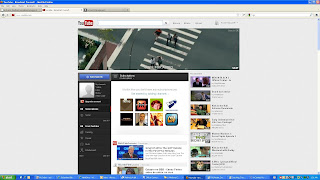
2. Left click on your username in the upper right corner

3. Left click "Settings"

4. Left click "Manage Account" from the menu on the left

5. Left click on "here" ("here" is the actual link) in the "Authorized Sites" section

6. Left click [ Revoke Access] to the right of the bullet-point where “callofduty.com – YouTube” is
Here are those instructions:
1. Log into Youtube.com

2. Left click on your username in the upper right corner

3. Left click "Settings"

4. Left click "Manage Account" from the menu on the left

5. Left click on "here" ("here" is the actual link) in the "Authorized Sites" section

6. Left click [ Revoke Access] to the right of the bullet-point where “callofduty.com – YouTube” is
Subscribe to:
Posts (Atom)