It seems more and more games are using Youtube as a method to try to show game play videos and allow players to earn fame by posting their videos to Youtube. Sometimes these sites and programs require special access to Youtube in order to properly post videos and manage them. I have often seen people receiving errors while trying to unlink their Youtube account from these sites/programs and vice versa. Many times users try to sever this link using the sites/programs but the change is never reflected on Youtubes site. So I have decided to provide you guys with a way to sever the access of the site from the Youtube side.
Here are those instructions:
1. Log into Youtube.com
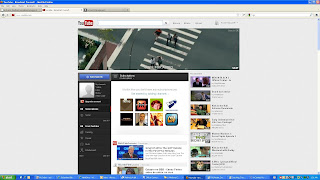
2. Left click on your username in the upper right corner

3. Left click "Settings"

4. Left click "Manage Account" from the menu on the left

5. Left click on "here" ("here" is the actual link) in the "Authorized Sites" section

6. Left click [ Revoke Access] to the right of the bullet-point where “callofduty.com – YouTube” is
Here are those instructions:
1. Log into Youtube.com

2. Left click on your username in the upper right corner

3. Left click "Settings"

4. Left click "Manage Account" from the menu on the left

5. Left click on "here" ("here" is the actual link) in the "Authorized Sites" section

6. Left click [ Revoke Access] to the right of the bullet-point where “callofduty.com – YouTube” is
